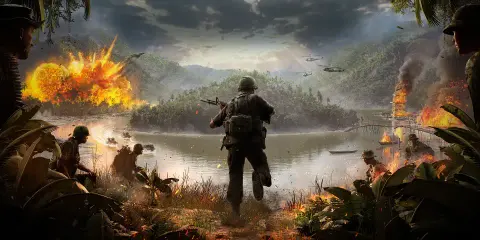
Undetected Milsim & vehicles
Squad
From $7.21 / 7 d.
Available durations
7 d.
Choose the matching game and duration in the shared BCDE store. Final prices, stock, orders and delivery are handled there.
TL;DR
Squad cheat — current status: Undetected. Includes ESP, Vehicles. Works with Easy Anti-Cheat (EAC). Supports Windows 10 / 11 (x64). Feature list: 239 functions in 4 groups. Price from $7.21 (7 d.).
System & version support
Game version / platform
Steam
Supported Windows
Windows 1020H221H121H222H2
Windows 1122H223H2
64-bit only
CPU
Intel / AMD
Game mode
Full windowed screen
Anti-cheat covered
Easy Anti-Cheat (EAC)
Hidden from recording
Yes
FUNCTIONS 239
The in-game menu is in English: the left column is the exact menu name, the right column explains it. 239 features in 4 groups.
ESP 92
> Под-вкладка Players: overlay: > Players Card Enemy to show the players of the enemy team. Team to show the players of your team. Dead show dead players. Name show player names. Weapon show the name of the weapon in the hands of players. Box display a frame around the player. Health show the players' health. style: > Players Card Box type — выбрать тип рамки 2D full box / 3D skeleton bounds / 2D corners. Box thickness adjust the border thickness. Max distance maximum player rendering distance. Text size ESP players' text size. Text background turn on the background under the text. Text background color set the background color of the text. Health side — выбрать сторону полосы здоровья Top / Bottom / Left / Right. Health text to display the numerical value of health. Health text size DEAD icon size DEAD dist. scale % reduction of the DEAD icon depending on the distance. Enemy color the color of enemy players. Team color the color of the players of their team. Dead color the color of dead players. > Под-вкладка Bots: overlay: > Bots Card Enemy show enemy bots. Team show allied bots. Dead show dead bots. Name show the bot's name/title. Box display a frame around the bot. Health show the bot's health. style: > Bots Card Box type — выбрать тип рамки 2D full box / 3D skeleton bounds / 2D corners. Box thickness Max distance maximum bot display distance. Text size Text background turn on the text background. Text background color Health side — сторона полосы здоровья Top / Bottom / Left / Right. Health text to display health as a number. Health text size DEAD icon size DEAD dist. scale % scaling the DEAD icon by distance. Enemy color the color of enemy bots. Team color the color of allied bots. Dead color the color of dead bots. > Под-вкладка Vehicle: overlay: > Vehicles Card Enemy to show enemy equipment. Team to show the techniques of one's team. Destruction to show destroyed equipment. Empty to show empty equipment. Occupant count to show the number of players inside the vehicle. Name show the name of the equipment. Box display a frame around the equipment. Health to show the health of the equipment. style: > Vehicles Card Box type — тип рамки 2D full box / 3D bounds / 2D corners. Box thickness Max distance maximum vehicle display distance. Text size Text background turn on the text background. Text background color Health side side of the health strip. Health text to display health as a number. Health text size Destr. icon size the size of the destroyed equipment icon. Destr. dist. scale % scaling the destruction icon by distance. Occupied enemy the color of occupied enemy equipment. Occupied team the color of occupied allied equipment. Empty enemy the color of empty enemy equipment. Empty team the color of empty allied equipment. Destruction color the color of destroyed equipment. > Под-вкладка Skeleton: > Карточка Skeleton: Enable skeleton reads enable reading characters' bones. Draw skeleton Head circle to display a circle around the head. Players to draw players' skeletons. Bots to draw robot skeletons. Teammates to draw the skeletons of allies. Players color the color of the players' skeleton. Bots color the color of the bots' skeleton. Teammates color the color of the allies' skeleton Head pos adjust the position of the head circle. Head size adjust the size of the head circle. Line thickness thickness of skeleton lines. > Под-вкладка Entities: > Карточка World actor cache: Refresh frames select the update interval for the ESP table in frames. Next refresh shows after how many frames the next table update will occur. Helpers 102
> Под-вкладка Radar: > Карточка Players: Enemy show enemies on the radar. Enemy color Team Team color Dead show dead players. Dead color the color of dead players. Distance maximum distance for displaying players on the radar. > Карточка Bots: Enemy show enemy bots. Enemy color the color of enemy bots. Team show allied bots. Team color the color of allied bots. Dead show dead bots. Dead color the color of dead bots. Distance maximum bot display distance. > Карточка Vehicles: Occupied Enemy to show occupied enemy equipment. Occupied Enemy color the color of enemy equipment. Enemy (Empty) to show empty enemy equipment. Enemy (Empty) color the color of empty enemy equipment. Occupied Team to show occupied allied equipment. Occupied Team color the color of allied equipment. Team (Empty) to show empty allied equipment. Team (Empty) color the color of empty allied equipment. Destruction to show destroyed equipment. Destruction color the color of destroyed equipment. Distance maximum vehicle display distance. > Карточка Radar global: Draw radar Scale Point size size of object points. Direction length length of the direction pointer. Background radar background color. Border radar border color. Outline color of the outer contour. > Под-вкладка Radar Circle: > Карточка Radar Circle: Draw radar circle enable a circular radar around the center of the screen. Players Players color Bots Bots color Teammates Teammates color Vehicle (Only occupant) show the equipment (only enemy equipment with players inside). Vehicle color > Карточка Visuals: Show circle to draw the Radar Circle itself. Circle radius Circle color Distance scale the scale of the position of objects relative to distance. Arrow size size of object pointers. Arrow outline indicator outline color. Show distance to show the distance to the object. Scale text by distance change the text size of the distance depending on the distance. Distance text size base text distance size. > Под-вкладка Target line: > Карточка Target line: Draw target line enable lines from the edge of the screen to objects. Player → Enemy Team — choose which players to draw lines to. Bots → Enemy Team — choose which bots to draw lines to. Vehicle → Enemy Team — choose which tool to use to draw lines. Player distance working distance of the lines for players. Bot distance working distance of lines for bots. Vehicle distance operating distance of lines for equipment. Bottom / Left / Right. Screen side — the side of the screen from which the line starts: Top Thickness > Под-вкладка Misc: > Карточка Info window: My health point to show one's own health. My ammo count to show the current number of bullets. My mag. status show the status/list of stores. Text size text size of the Info Window. Background window background color. Text > Карточка Minimal info: Players use Minimal Info for players. Bots use Minimal Info for bots. Vehicle use Minimal Info for the equipment. Start distance the distance from which the transition to Minimal Info begins. Distance scale % scaling the minimum marker by distance. Default point size base point size. Default text size base text size. Fan distance working distance of marker distribution. Fan range FOV View when an object enters the FOV, display full information about it. FOV radius radius of the FOV area. Full minimal key enable forced Full Minimal mode by key. (Converts all objects to Minimal Info) Full minimal keybind assign the Full Minimal key. > Карточка Crosshair: Enable turn on the crosshair in the center of the screen. Crosshair size Crosshair type — тип маркера Cross / Circle / Square / X / Corners / Ring. Crosshair color > Карточка Optical FOV: Optical FOV projection use a separate optical projection for objects in scopes. Optical circle to show the circle of the optical field. Only optical entities display only objects that fall into the optical area. Optical circle radius the size of the optical area circle. Optical circle color Memory 41
> Под-вкладка Aim: > Карточка Aim: Enable Aim key assign an activation key. Players allow players to choose targets. Bots allow selecting bots as targets. Team allow work on allies. Select lock target — enable locking of the selected target. Jump if lock is lost switch to another target when losing the current one. Priority by world distance to choose a target with priority based on the world distance. Prediction enable target movement anticipation. Target point — точка наведения Head / Neck / Spine2. Smooth Max distance maximum target selection distance. visual: > Aim Card FOV circle show the Aim area circle. FOV radius size of the Aim area. FOV idle color FOV color without the active Aim key. FOV active color FOV color when the Aim key is active. > Карточка Target Point: Enable show the Aim point marker on the target. Target color the color of a common suitable target. Selected target color of the selected/locked target. > Карточка Silent: Enable enable Silent (or magical bullets that teleport to players). Silent key assign the Silent activation key. Цель выбирается как и в Aim, но по отдельной клавише. > Карточка Weapon Point: Enable to show the weapon's aiming point. Weapon Point size Weapon Point type — тип маркера Cross / Circle / Square / X / Corners / Ring. Weapon Point color > Под-вкладка Memory: > Карточка Weapon: Additional Zoom enable additional weapon/scope zoom (Activated by holding SHIFT). Addit. Zoom value select the amount of additional increase. No sway remove weapon swinging. No recoil Key Bind Changer: > Button Card Apply key assign a key to apply weapon changes. APPLY CHANGES manually apply the selected weapon settings. Other 4
> Под-вкладка Global: > Карточка Global: Panic key assign an emergency shutdown/feature closure key. Menu — F6 HOME — information about the keys for opening/closing the menu. No matching features
FAQ about Squad
Does Squad work right now?
Yes. Squad is currently marked Undetected. The status is refreshed on every sync — check it again right before buying.
How do I buy Squad and how much does it cost?
Review the product here, then select the matching item and duration in the shared BCDE store. Catalog reference price: from $7.21; durations: 7 d.. Store prices and stock take precedence.
Which OS and CPU does Squad support?
Squad supports: Windows 10 (20H2/21H1/21H2/22H2), Windows 11 (22H2/23H2) x64; CPU: Intel.
Which anti-cheat systems does Squad work with?
Squad targets: Easy Anti-Cheat (EAC). Anti-cheat updates can change the status, so always rely on the latest status on this page.
Is there a ban risk when using Squad?
Any third-party cheat violates the game’s terms of service and carries a risk of bans. Use at your own risk, preferably on a secondary account, and watch status updates.